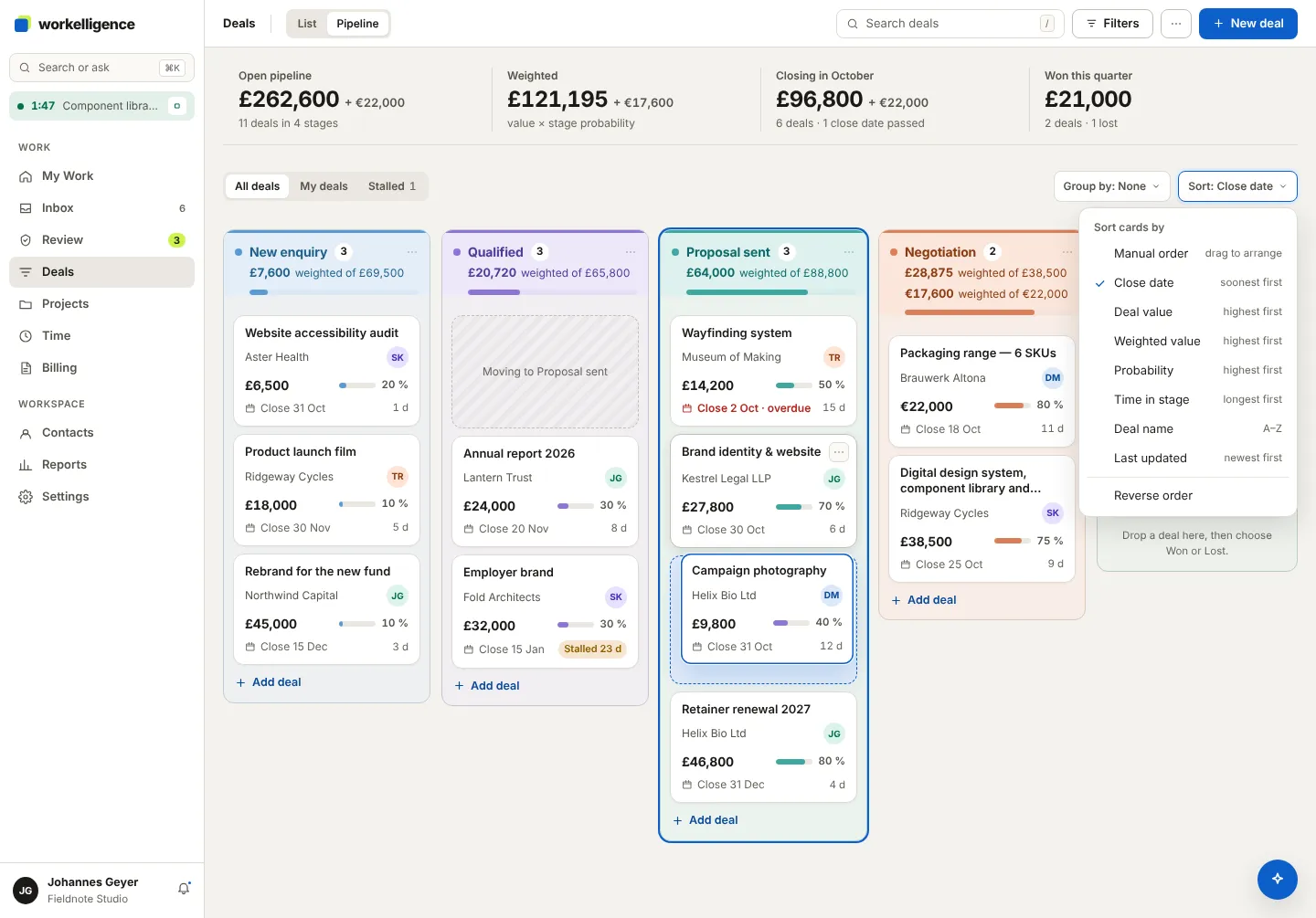
Deals and the pipeline
Every enquiry is a deal. Deals move through stages on the pipeline board until they are won and become a project.
Create a deal
Section titled “Create a deal”- Open Deals and click New deal.
- Enter the deal name, the company or person, the Value, the Probability (%), the Expected close date and the Owner.
- Save. The deal appears in the first stage.
A deal can also arrive from a public form on your website, see Public forms.
Move a deal
Section titled “Move a deal”Drag the card to the next stage, or open the deal and choose the Stage. The stage sets a default probability; you can overwrite it on the deal.
Your stages
Section titled “Your stages”Under Settings → Pipeline you add, rename, reorder and colour your stages with Manage stages. A stage can be archived; its deals keep their history.
The board
Section titled “The board”- List and Pipeline views: the list sorts by stage, owner or value; the pipeline shows the stages as columns with the sum and the weighted sum per column.
- Open value at the top, per currency.
- Stalled deals: a deal that sits too long in a stage is marked and appears in Needs attention.
- Forecast: Reports → Forecast groups open deals by owner and expected close month, weighted by probability. See Reports.
Won, lost, reopened
Section titled “Won, lost, reopened”Open the deal and choose Mark as won, or Mark as lost… with a reason. A closed deal can be reopened. A won deal is ready to convert, see Convert a deal.