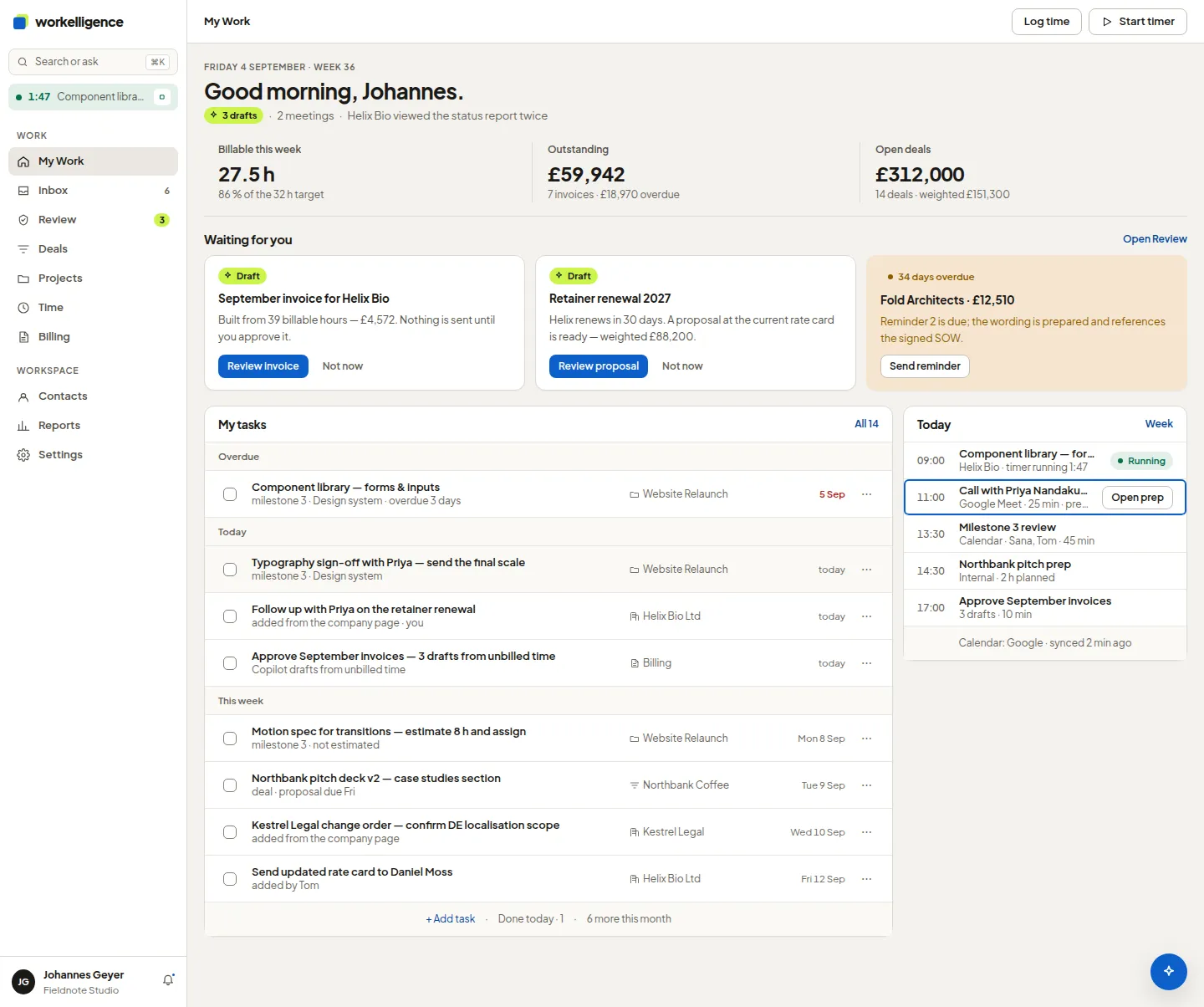
Needs attention
My Work is the first page after sign-in. At the top sits Needs attention: not another list, but the things that need you today. Below it are your open tasks and the workspace activity.
The six kinds of item
Section titled “The six kinds of item”| Section | What lands there |
|---|---|
| Overdue tasks | Tasks past their due date that are assigned to you |
| Missing time | Days in your week without logged time |
| Pending approvals | Changes that wait for your approval |
| Overdue receivables | Invoices past their due date |
| Failed jobs | Background work that stopped and needs a retry |
| Stalled deals | Deals that have sat too long in one stage |
Each item shows how long it has waited, for example 3 days overdue or 23 days in this stage, and opens the record with one click.
Snooze or dismiss
Section titled “Snooze or dismiss”- Snooze hides an item until tomorrow, next week or a date you pick within the next 90 days. It returns on that day.
- Dismiss removes it. Undo brings it back.
- Assign to me takes over an unassigned task.
- Retry runs a failed job again.
Snoozed items are counted next to the section title and can be shown with Show snoozed items.
The KPI tiles
Section titled “The KPI tiles”The tiles above the queue show unbilled time, open invoices and the open pipeline, per currency or consolidated in the workspace currency. Each tile opens the matching list.