The timeline
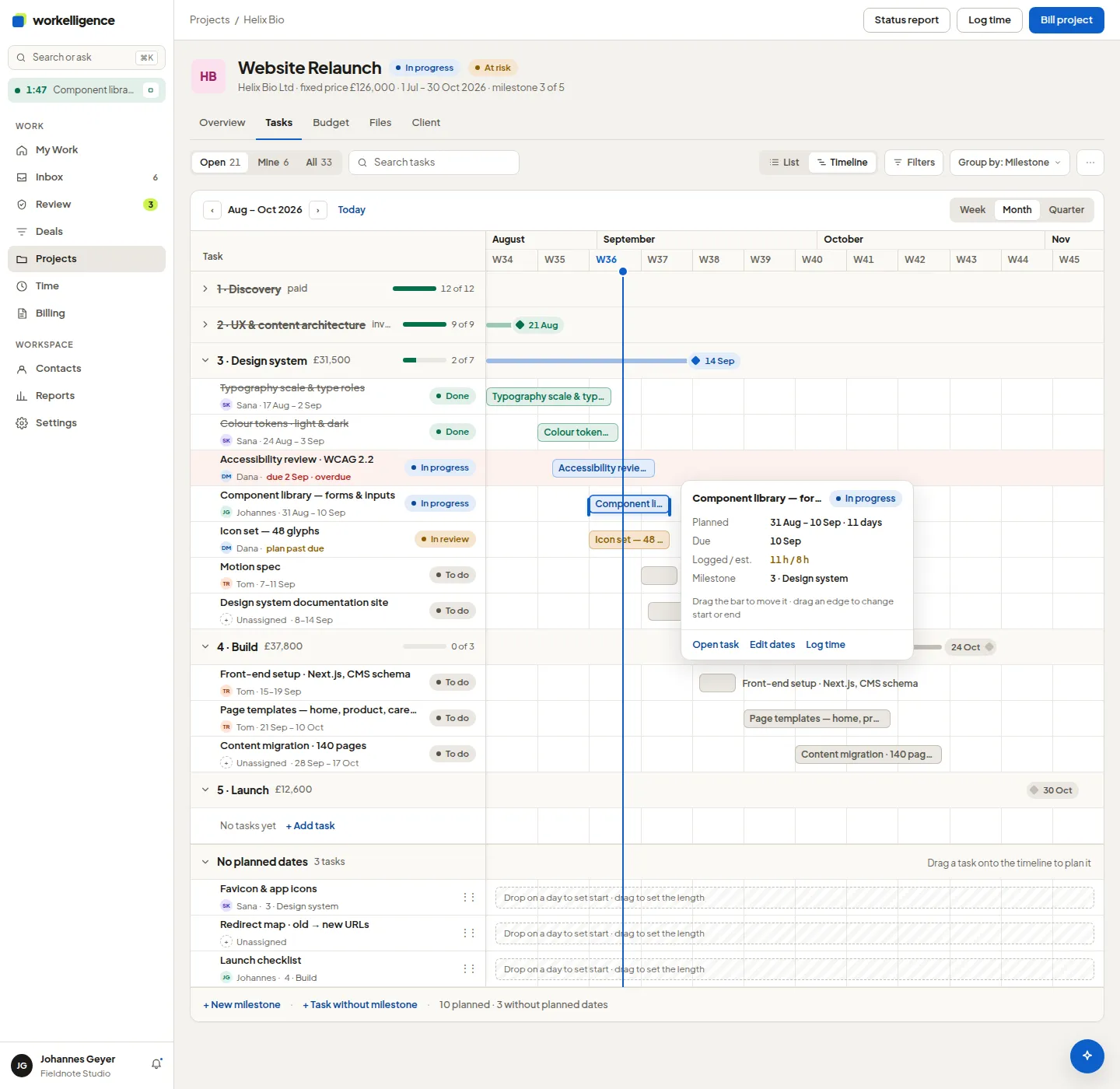
The project’s Timeline tab draws every task with planned dates as a bar, under its milestone.
Read the timeline
Section titled “Read the timeline”- Zoom: Week, Month or Quarter. Today jumps to the current date.
- Group by: Milestone, Status or Person.
- A bar shows the task’s planned start and end. Logged / est. compares logged hours with the estimate.
- Tasks without planned dates are listed under No planned dates.
- A task whose plan is in the past but is not done is marked plan past due; a milestone past its due date is Late.
Plan a task
Section titled “Plan a task”Open the task and set Planned start and Planned end, or drag the bar on the timeline. The same planning window feeds the capacity board, so a planned task counts against the person’s week.